Earn More with Google’s Web Stories Playbook
Google published a Web Stories Playbook that shows how to integrate the new format into a website to increase engagement and earnings.
Web Stories
Web Stories is a new format that Google shows in Search and Discover. The format is designed to provide “snackable” content to consumers who are on the go.
But as the Web Stories Playbook makes clear the new format has many uses that can help publishers make their websites more engaging with site visitors and increase earnings from advertising or even affiliate links.
Web stories helps publishers reach new audiences. They can also keep visitors on the site longer to view more advertisements, the format can be used to convert visitors into sales or inspired to click on affiliate links.
Web stories can be monetized in multiple ways, including affiliate links, sponsored content, programmatic ads or directly sold advertisements.
Google also provides support in the form of a WordPress plugin that makes it easy to create Web Stories.
The new playbook is intended to teach publishers how to incorporate web stories into a website.
Screenshot of a Page from the Web Stories Playbook
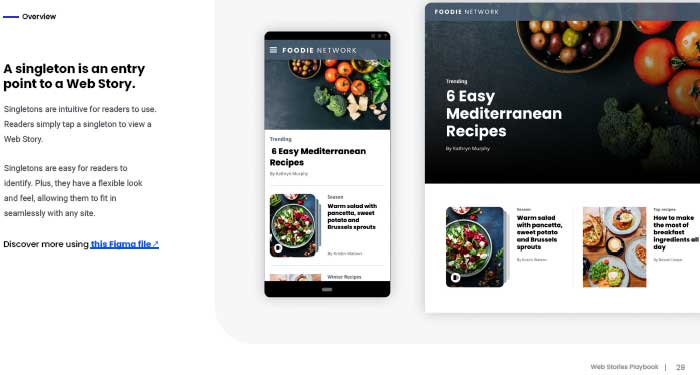
Although the Web Stories Playbook is over one hundred pages long, each page contains two paragraphs or less of words. This format makes it easy to read and understand.
What’s Inside the Web Stories Playbook
The playbook is divided into three sections:
- Overview
Describes how web stories are useful to publishers for finding new audiences and giving them a faster way to consume content. - Entry Points
Describes the different ways web stories can integrate into a website, and how to customize how site visitors engage with them. - More Design Details
Offers a comprehensive review of best practices in design for encouraging more engagement with readers.
This is how the Web Stories Playbook describes its purpose:
“Get the most out of Web Stories.
This playbook will help you incorporate Web Stories into your website, so you can reach new audiences and help readers connect with content they’ll love.”
Entry Points
The Entry Points and More Design Details section cover their topics in depth. For example there are five different kinds of “entry points” that the playbook focuses on one by one so that a publisher will attain an expert level of understanding.
The Entry Points section describes how there are five different entry points:
- Singleton
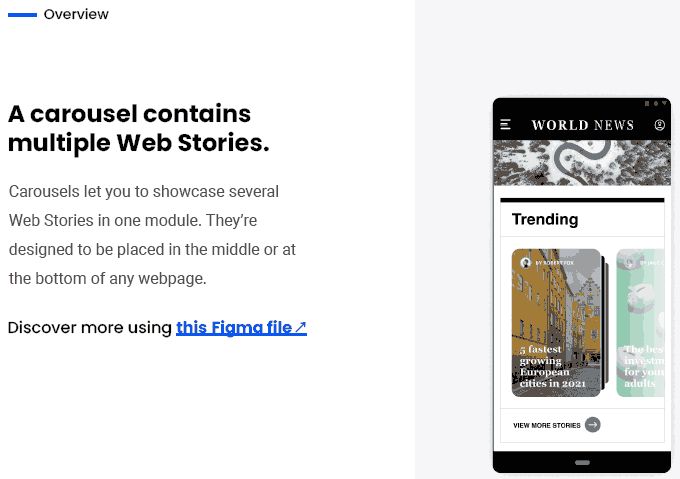
- Carousel
- Compact display
- Author highlight
- Dedicated page
Next it shows one by one how the five different “entry points” fit into a web page as part of an overall strategy for engaging visitors.
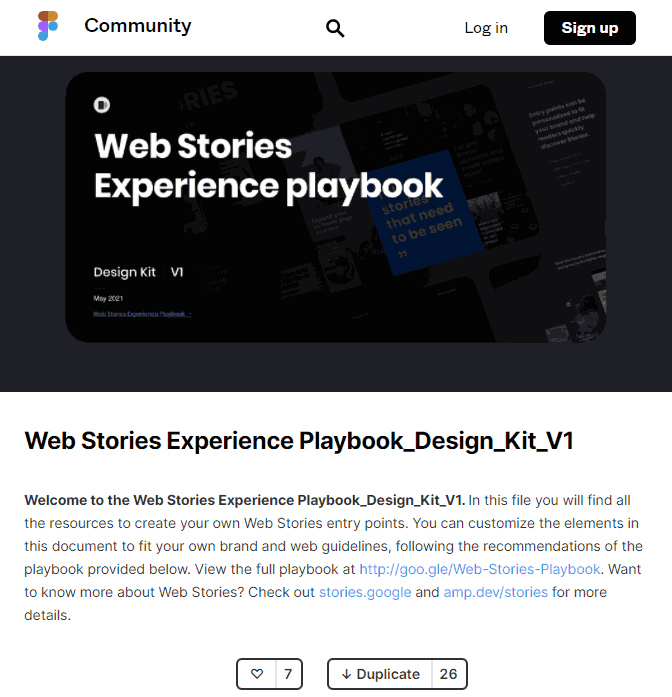
Lastly, this section links to a Design Kit where files can be downloaded and used to create the different entry points.
Screenshot of Web Stories Design Kit Page
More Design Details: Best Practices
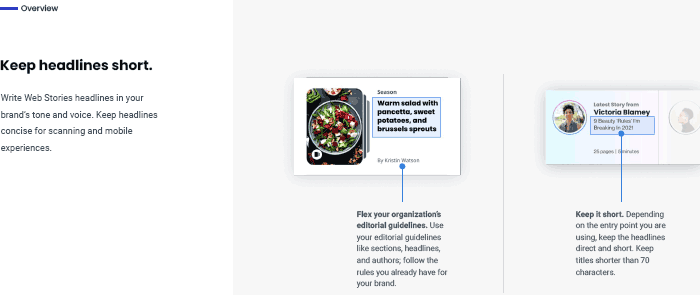
In the More Design Details section the playbook teaches best practices for content and page layout then moves on to how to customize the web stories further.
Screenshot of an Overview Page from the Web Stories Playbook
The document ends with links to three more resources:
The guide links to a Web Stories GitHub and Slack channel but the Slack link appears to be broken…
Screenshot Showing the Carousels Page from the Web Stories Playbook
Download the Web Stories Playbook
Google’s web stories playbook is over one hundred pages long but most pages are full of illustrations that show the best practices and lessons. So it’s not as long as it may appear to be.
Nevertheless there’s quite a bit of useful information for publishers of all skill levels with the web stories format.
Citations
Read the official announcement
Raise the visibility of Your Web Stories
Download the playbook:
Web Stories Experience Playbook (PDF)
WordPress Saves Creative Commons Search Engine From Shutting Down
Creative Commons, also known as CC Search, is bringing its repository of 500 million free-to-use images to WordPress.
Creative Commons Search is joining WordPress.org, which will help keep the search engine of free-to-use images running for the foreseeable future.
Matt Mullenweg, CEO of WordPress parent company Automattic, says he decided to bring CC Search on board after hearing it was in danger of shutting down:
“I am a long-time supporter of Creative Commons and their influential work on open content licenses, and when we heard they were considering shutting down their CC Search engine we immediately started exploring ways we could keep it going.”
One of the ways Mullenweg is going to keep CC Search going is by giving it a new home on WordPress.org.
This will remove significant overhead expenses for CC Search, as WordPress will be covering the costs of hosting its repository of 500 million images.
“I am eager to give a new home to their open search product on WordPress.org in continued commitment to open source freedoms, and providing this community resource for decades to come.”
Creative Commons is a nonprofit organization which offers an ad-free search experience. CC Search is dependent on donations to stay running.
With hosting costs removed, CC Search will be less dependent on the generosity of users going forward.
In addition, Automattic is hiring key members of the CC Search team and sponsoring their work.
Creative Commons relies on a team of volunteer developers to maintain its open source projects.
It’s possible some of those volunteers will be getting paid for their work for the first time. Though it’s unclear if Automattic is hiring CC’s volunteers or members of its full-time engineering staff.
In any case, this is a big win for Creative Commons, which has been helping publishers find openly licensable images since 2001.
Mullenweg notes that CC Search will soon be adding support for audio and video. It’s likely that wouldn’t be possible without this assistance from WordPress.
The hiring of CC Search team members opens the door for expanding its capabilities with more features in the future.
Mullenweg says he will share details about upcoming plans in a few weeks once everything from CC Search is live and running on WordPress.
At this time it’s not known what the change will mean for WordPress site owners. Other than the benefit of having continued access to CC Search.
I’m sure on the top of everyone’s wish list is the ability to search for and add images to posts without leaving the WordPress editor.
Creative Commons currently offers an official WordPress plugin which makes it easy for site owners to add free use licenses to their own content. It’s possible that functionality could be offered natively in future versions of WordPress.
Creative Commons has yet to release an official statement, but former CEO Ryan Merkley offered his thoughts on Twitter:
“When I started CC Search, I always hoped it would become part of the infrastructure of the Internet. [Matt Mullenweg] and I first talked about CC Search in 2018, and he immediately saw the potential. I’m so happy to see this happen. It’s great for WordPress, and great for the Commons.”
Source: Matt Mullenweg’s personal blog
Elementor Update Addresses Core Web Vitals
WordPress page builder plugin publisher Elementor announced an update that introduces improvements meant to deliver better Core Web Vitals scores

Popular WordPress page builder plugin Elementor announced an update focused on delivering faster page loads. The update introduces improved efficiencies in how JavaScript and CSS files are delivered. These changes in Elementor version 3.2 promise to improve Core Web Vitals scores.
According to the Elementor’s announcement:
“The company has optimized its development cycle and created a five-track plan fixated on specific performance areas such as Optimized Asset Loading, JavaScript/CSS Libraries, Optimized internal JavaScript and CSS, Optimized Backend and Rendering Processes, and more slim code output.
Elementor’s plan ensures that all aspects of performance receive significant improvements, front and back.”
Elementor has also introduced a way for publishers to indicate how to load Google Fonts more efficiently:
“A new Google font loading feature personalizes users’ loading experience, enabling them to modify how Elementor loads Google Fonts. Elementor dashboard settings offer auto, swap, block, optional, and fallback.”
Core Web Vitals
Core Web Vitals are metrics designed to measure the web page experience for actual users on mobile devices. The measurements are collected by users on Chrome who have opted in to provide the information which is then collected as the Chrome User Experience (CrUX) Report.
It is this data that is used to create the Core Web Vitals scores for websites which in turn will become a ranking signal in June 2021.
Hosting a website at a fast server will not improve the core web vitals scores because the problems that negatively impact core web vitals scores are related to how the website is coded.
Delivering unoptimized code faster from a fast web host won’t fix the bottleneck caused by that unoptimized code that has to be downloaded and rendered on a mobile device.
That’s why it’s important for the makers of website templates and page builders to make the code their users rely on more efficient.
What Elementor announced is their renewed effort to deliver the web page code more efficiently to help publishers give their site visitors a better user experience and help the publishers rank better.
Why JavaScript and CSS Can Be Problematic
JavaScript and Cascading Style Sheets (CSS) are files that respectively provide functionality and visual style to web pages. A JavaScript file can make a contact form work and the Cascading Style Sheet tells the browser what colors and fonts to use (among other visual style related data).
When a person visits a web page the browser will download these files in order to create (render) the web page. But the web page rendering will stop every time it encounters a JavaScript or CSS file. That’s why they’re called Render Blocking Files.
While there are coding tactics to delay downloading the files or to download them in parallel (simultaneously with other files), those files still need to be activated (so to speak) in order to complete the rendering of the web page.
The ideal approach is to minimize how many files need to be downloaded. The best approach is to download the absolute minimum amount of JavaScript and CSS necessary to create a given web page.
For example, if a web page doesn’t contain a contact form then there is no need to download the files necessary to create a contact form.
This more efficient approach to downloading JavaScript and CSS is called conditionally loading. That means to download them when they are needed and not downloading if they are not needed.
And that is part of what Elementor announced.
Elementor Is Now More Efficient
What Elementor changed was to download many JavaScript files only when they are needed. That’s called loading files conditionally. Elementor confirmed to me that they have plans to begin conditionally loading CSS in the near future as well.
According to Elementor:
“The Lightbox, Screenful, Dialog, and Share links libraries are all loaded conditionally…”
Elementor also announced:
“The e-icons CSS file has also been split into two separate libraries – frontend and backend – saving up to 50KB on any given page load.”
Another improvement is that CSS that only affects site visitors who are Editors will not be loaded automatically for all users. That means if a site visitor is not an Editor their browser will download less files to make the web page render, saving 17 kilobytes.
The Elementor team shared this with me:
“Both our R&D team and our SEO team have been working on this project for the past 6 months, making sure that Elementor is fully compatible with the upcoming Web Vitals Google algorithm change. We’ve been focusing on reducing the number of DOM elements, rendering process optimization, dynamic asset loading, and much more.”
Elementor Publishes Videos for Improving Core Web Vitals
 Screenshot of Elementor Core Web Vitals optimization video
In addition to the code changes Elementor has taken the extra step to provide YouTube courses to help them better understand best practices for building sites that provide a faster user experience.
“To guide people through this update, we’ve made some excellent educational materials, including a new course on improving performance on your website. This will take a look at the whole process, since performance is based on a combination of factors, not just your website building platform of choice.”
Watch the Elementor optimization courses on YouTube here.
Elementor Takes the Initiative
It’s encouraging to see more and more companies step up to make these important updates. The announcement by Elementor is an exciting development for users of the plugin and puts the pressure on the rest of the WordPress ecosystem from plugins to theme makers to keep up with Elementor.
Citation
Google Web Stories WordPress Plugin Updated With Embedding Capabilities
Embedding Web Stories on webpages is easier with an update to Googles Web Stories WordPress plugin.
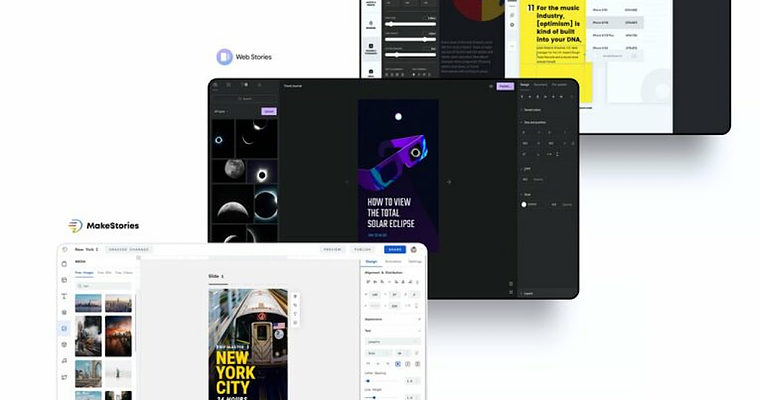
Google has updated its official Web Stories plugin for WordPress with the ability to embed content on webpages.
Since the launch of the Web Stories plugin it has offered robust creation tools, but users were on their own when it came to embedding the content they created.
WordPress site owners can now create Web Stories and embed them using the same tool. The update also offers the ability to embed Web Stories from other sites.
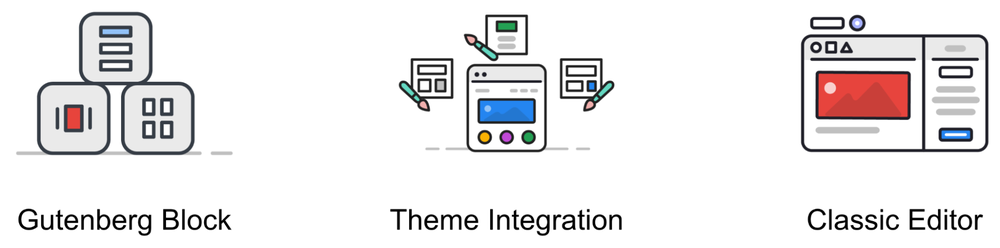
In addition to easier embedding, the plugin update makes it possible to integrate Web Stories into the theme customization process, and they can now be used with the Classic Editor.
Here’s more about how to embed Web Stories using the plugin.
Web Stories Gutenberg Block
To embed Web Stories into WordPress webpages start by inserting a Web Stories block.
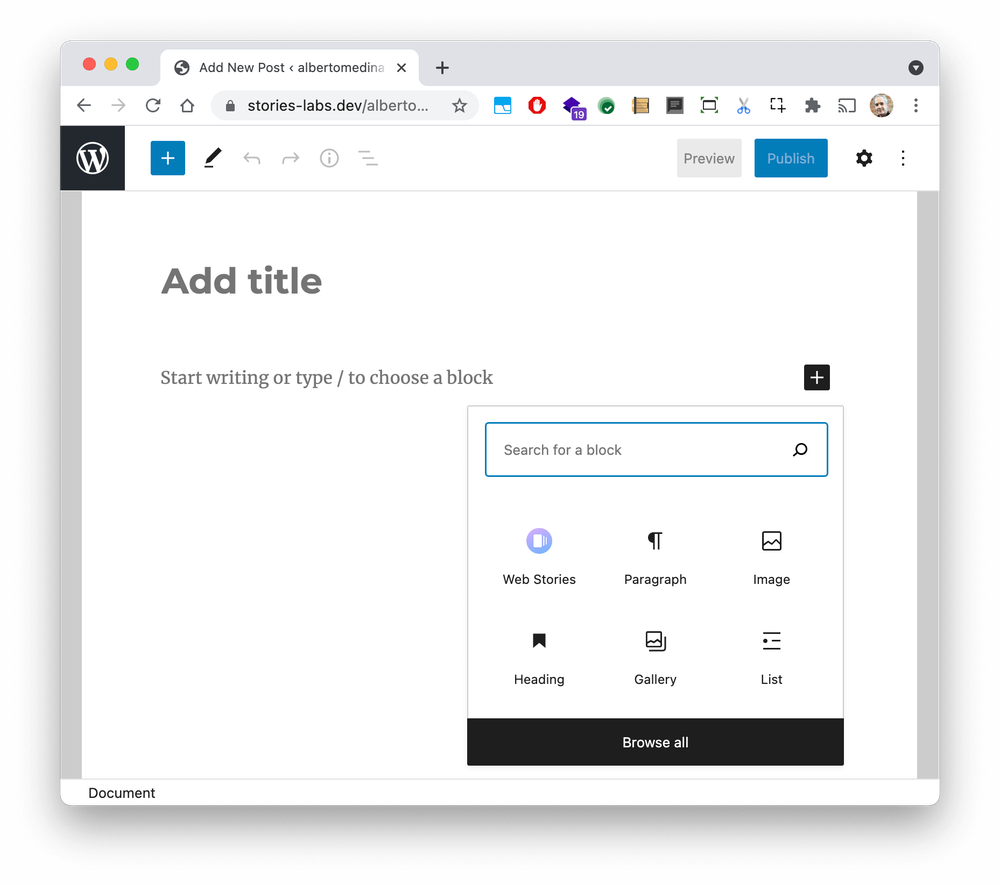
The block will give site owners three options for embedding Web Stories into a webpage or blog post:
- Latest Stories: Display most recent stories, with filtering and sorting options. The list automatically updates as new stories are published.
- Selected Stories: Display a list of handpicked stories.
- Single Story: Embed a single story by providing its URL.
Site owners will then be asked to choose how they want their Web Stories displayed. The options are a carousel, a grid, or a list.
This new Web Stories block allows stories to be displayed anywhere blocks can be used.
The Web Stories WordPress plugin provides built-in integrations for all WordPress core default themes. Several third party themes also offer Web Stories integration, including the Astra theme, Neve theme, and Newspack theme.
This may encourage more site owners to use Web Stories, which can be an effective way to diversify sources of organic traffic.
Web Stories appear in search results and, recently, Google Discover. This gives site owners more ways for their content to get found across Google.
Think about how great it would look for a site to dominate the first page of search results with Web Stories and traditional web content.
Web Stories currently appear in Google Search & Discover in the US, India, and Brazil. Search Advocate John Mueller has stated Web Stories may be expanded to more countries if more sites start using them.
For site owners who are not sure whether to add Web Stories to their content marketing strategy, see this Web Stories guide for marketers written by Helen Pollitt. It’s likely to answer most questions people have regarding the benefits of using this content format.
For some not-so-obvious SEO tips on using Web Stories, see this guide from Brodie Clark. It teaches site owners how to do things like add meta data and Schema markup, and how to track the performance of Web Stories in Google Analytics.
Lastly, site owners should be aware that the quality of Web Stories matters when it comes to appearing in search results. Google has explicitly warned site owners against using Web Stories as a teaser for other content, saying those won’t be ranked in search results

0 Comments